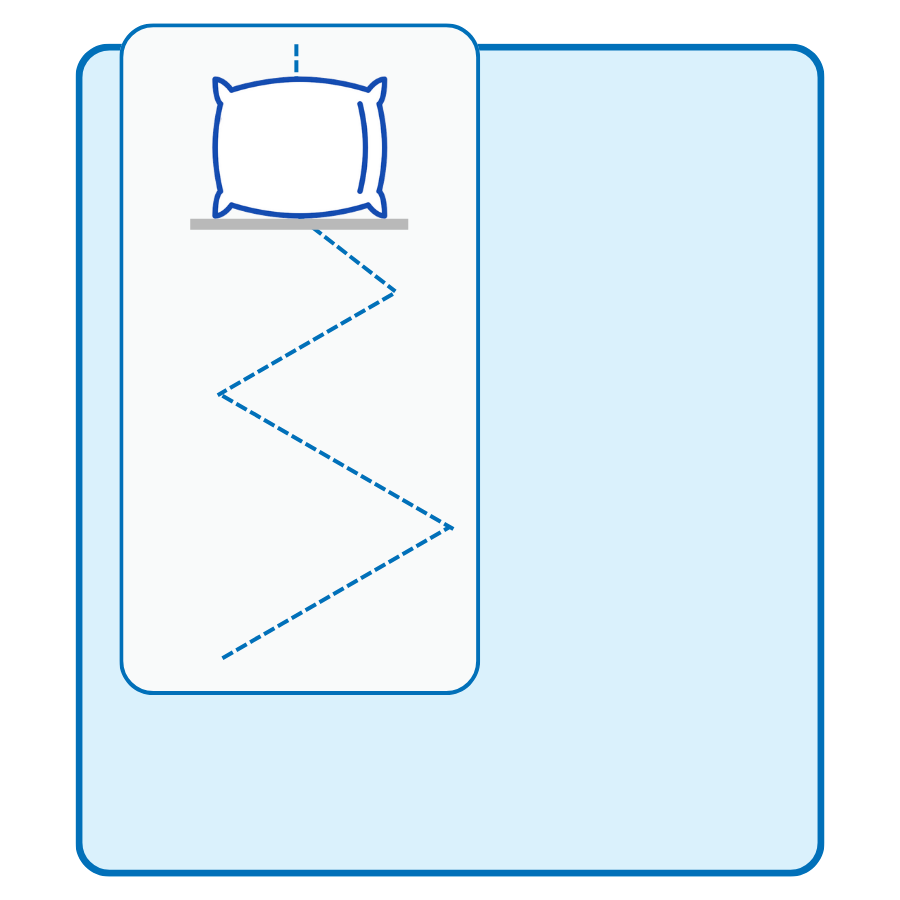
woman sleeping natural bedding

SLEEP WAVE™ System
How to Use Guide

A Thoughtfully Designed System to Simplify Your Nightly Routine

SLEEP WAVE™ Set Up Video Guide

Follow the steps in this video for guidance in setting up your SLEEP WAVE™ System. The video shows the installation of the Travel Size System. The same process works for the Fitted System, the only difference is that you would fit the fitted cover over your mattress, as a fitted sheet.

How do you use SLEEP WAVE™?

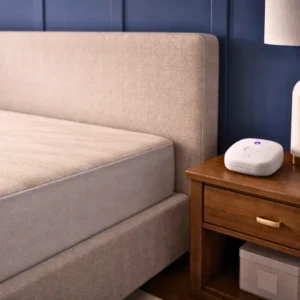
The SLEEP WAVE™ System is designed to integrate seamlessly into your sleep environment with ease and simplicity. The system includes a compact controller that rests on a nearby flat surface, such as a nightstand, and connects to a fitted or travel sleep pad placed directly on your mattress.


Using the system is straightforward. As part of your bedtime routine, turn the controller on before resting. In the morning, turn it off as you begin your day. The experience is quiet, unobtrusive, and designed to operate effortlessly in the background throughout the night.

Sleep Wave Fitted Pad
SLEEP WAVE™ FITTED SYSTEM

The SLEEP WAVE™ Fitted System features a mattress-size fitted pad designed for everyday use at home. Its tailored fit helps keep the pad neatly in place, creating a stable, comfortable, and seamless addition to your nightly sleep environment.

Sleep Wave travel pad
SLEEP WAVE™ TRAVEL SIZE

The SLEEP WAVE™ Travel Size features a compact pad designed for portability and flexibility. Its streamlined format allows for easy placement beneath existing sheets, making it a convenient option for maintaining your nightly routine while away from home.

Both the SLEEP WAVE™ Fitted System and the SLEEP WAVE™ Travel Size System feature the same thoughtfully developed technology and offer the same user experience. The difference lies only in form. The standard system is designed to fit securely over your mattress at home, while the travel size provides a more compact option for those who prefer continuity in their nightly routine while away.

What Will You Receive

When you purchase one of our systems, you will receive five items that you will use to setup the system and get started in your journey for better sleep and wellness:

Sleep Wave Pad 1

Item 1

One SLEEP WAVE™ Fitted or Travel Pad, depending on your choice.

Controller 1

Item 2

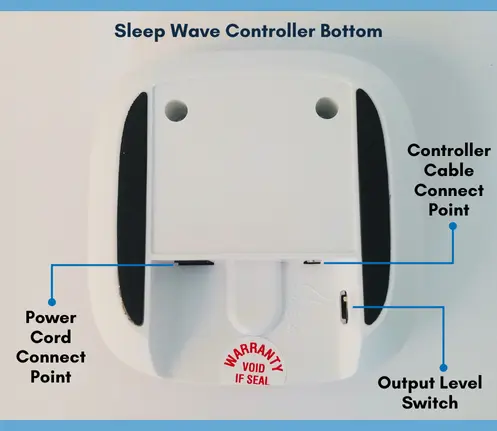
One SLEEP WAVE™ Controller to operate either the fitted or travel pad.

Power Cord

Item 3

One power cord to connect the controller to the power source.

Controller Cable

Item 4

One controller cable to connect the controller to the fitted or travel pad.

Operating Guide 1

Item 5

A SLEEP WAVE™ Operating Guide to help you setup and use your system.
Simply follow the set up instructions in the provided Operating Guide to start enjoying your new system and welcome better sleep back into your life.


Sleep Wave Controller

Operating the SLEEP WAVE™ Controller

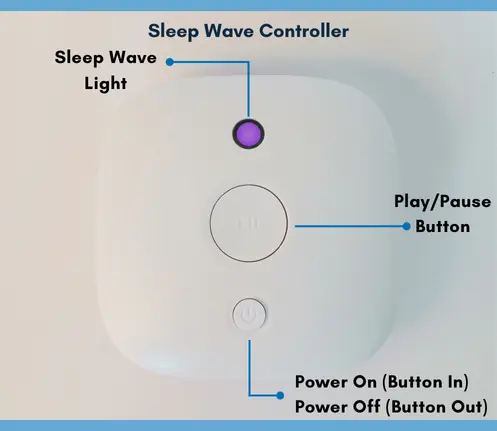
Step 1. Turn the Controller on by pressing the Power button. A blue light will come on indicating that the Controller is on.

Step 2. Turn the System on by pressing the Play/Pause button. A purple light will come on indicating that the System is ready to use.

Note 1: The light is a gentle light to prevent disturbing your sleep. You might have to look closely to see when the light is blue or purple.

Note 2: We recommend you to pause the system should you leave your bed for over 10 minutes during your sleep period. Simply press the Play/Pause button when you get up and press the Play/Pause button again when you return to bed, to reset the system.

Step 3. Upon awakening, turn the System off by pressing the Power button and the light will go off.


Settings Guide

SLEEP WAVE™ comes with four output levels. We recommend to start with Level One during the first 60-nights to allow the body get used to the system.

After 60 consecutive nights of use, we recommend to increase to Level Two. If you feel any discomfort, you can always go back to Level One and allow more time for your body to adjust.

After a further 90 consecutive nights in Level Two, you can go ahead and increase to Level Three.
Level Four is currently deactivated. 

For more details, please refer to the Operating Guide.

Sleep Wave Controller Bottom
Sleep Wave Controller

SLEEP WAVE™ Set Up and Operation

If you need help setting up or operating your SLEEP WAVE™ System, please send us a message and we will get back to you shortly.

Shopping Cart
Scroll to Top